
Introduction.
My main assignment for Praxis this week was to choose a software or business program and learn to use it to perform a task that would be useful to a business. I chose to use LinkedIn, ContactOut, Google Sheets, and a little Boolean search logic (sounds more complicated than it is) to create a sale’s lead list.
I decided to sort of bend this assignment in a way that would be useful to me as well. One of my goals in going through Praxis is to gain clarity for what I want to pursue as a career. So, with that in mind, I used those programs to create a list of leads for myself of people to contact and speak with to learn about what they do in their vocation.
The first thing I learned was how to use LinkedIn to search for people that I thought would be quality people to speak with. I wanted to learn about their vocation and how they got into it.
Getting Started.
A good place to start for my application was to search the Praxis alumni page. I thought it would yield the best results for people who would be responsive to my emails and willing to talk to me. However, you could change your search pool depending on your application. Examples of other initially limiting pools would be a specific location or simply based on what a company specializes in. I decided to focus my search on people who are working in a sales role who had graduated from Praxis.
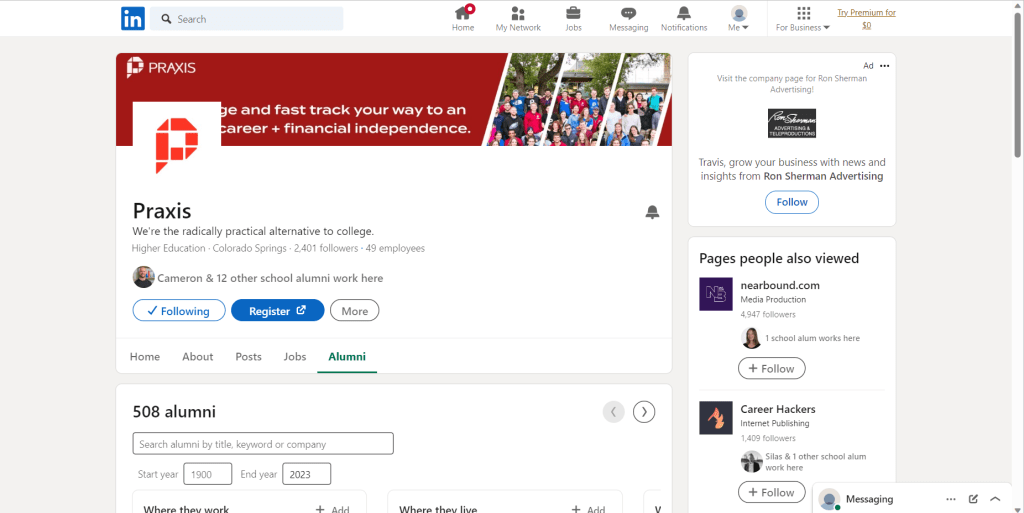
Praxis Alumni Page on LinkedIn – Notice the large number to sort through.
Adding Filters
Using Boolean search logic was how I was able to narrow down my search. Boolean logic is simply learning how to tell a search engine to focus on specific keywords, or not by using particular terminology. If you’d like to learn more about how that works, you can check out this article.
For example, I was able to put quotations around the word “sales” which told the search engine to only bring up results that specifically contained the word sales in them.
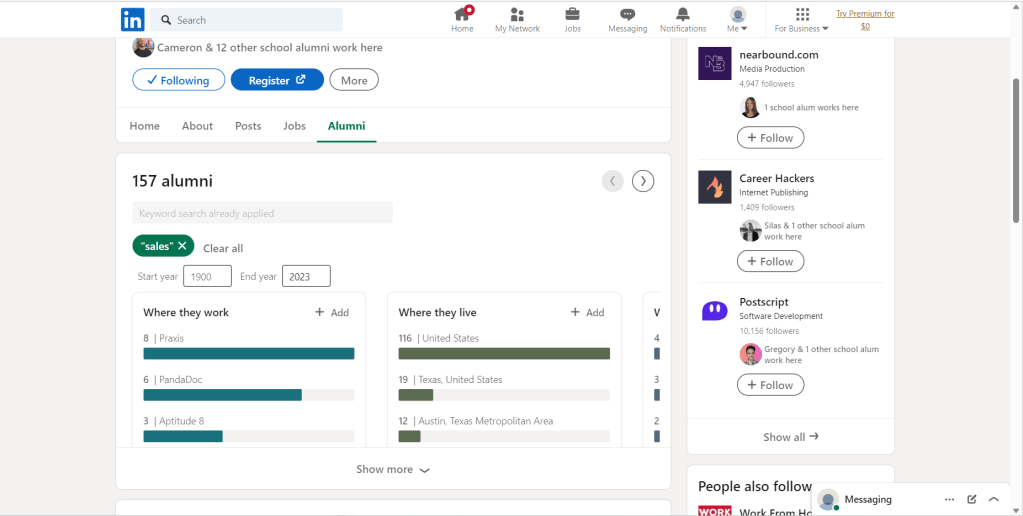
Used “sales” to cut through our pool of candidates bringing us to 157
I then used the “start year” filter to remove current praxis students, who would most likely not have much experience in a real sales role yet, by setting the start year to 2008-2022.
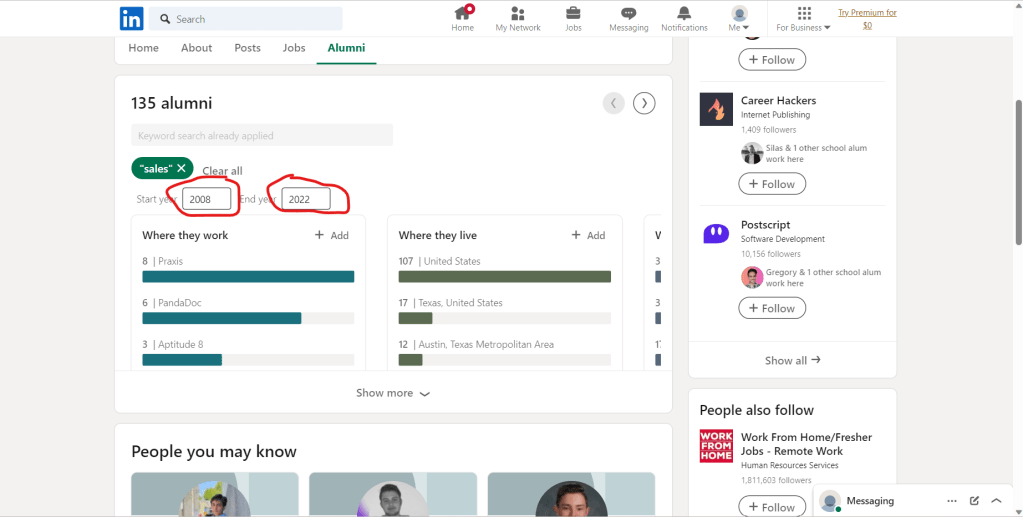
Here you can see where I changed the start date range
Contact Out.
At this point, my selected candidate pool was small and specific enough that I was ready to start adding them to my spreadsheet. However, LinkedIn does not offer people’s email addresses. My only option would be to either contact them through LinkedIn’s messaging system or find their email addresses somehow. This brought me to ContactOut which is a program that searches the internet for the person the LinkedIn profile belongs to and finds email addresses associated with them. It is simple to use. It’s a chrome extension so you just sign up, download it, and your good to go.
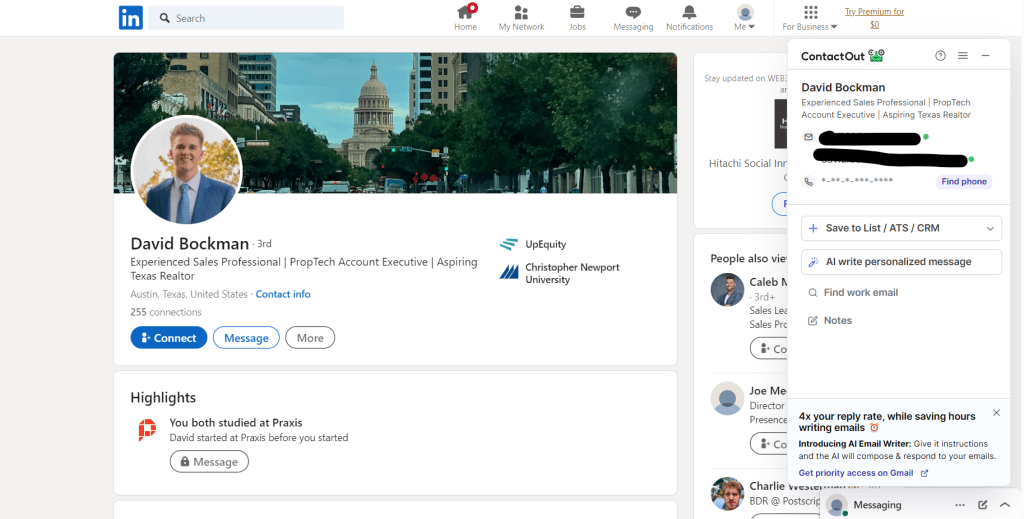
Here I have used ContactOut to source Mr. Bockman’s professional email
Organization.
By opening the program while on a specific LinkedIn profile, it pops up with their work email which I can then add to my google spreadsheet.
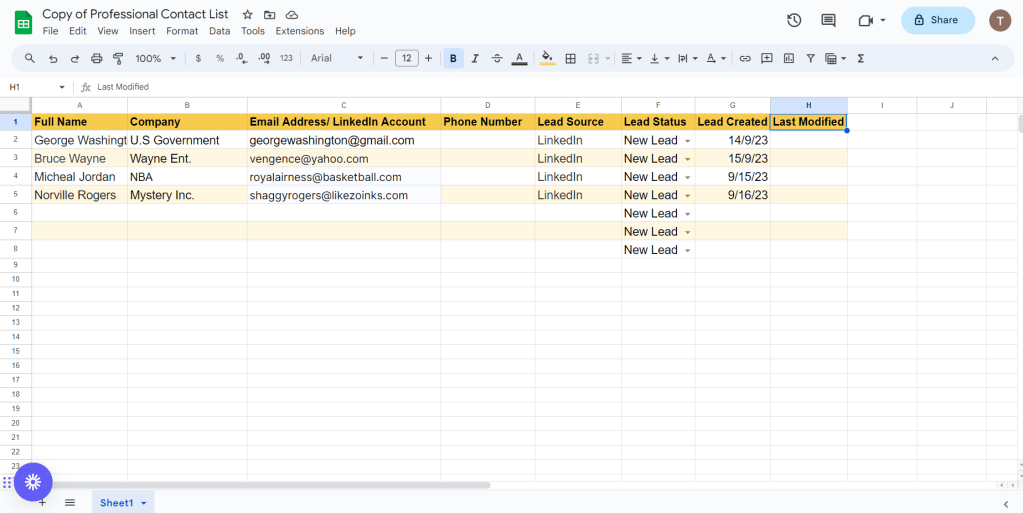
The Google spreadsheet where I can organize my leads.
The google spreadsheet I created is just a simple method of keeping track of my leads and what stage of contact I am in with them. If you’d like to check it out, I’ve made a copy of it you can access here. I have obviously used fictitious names in my example and copy spreadsheet.
Conclusion.
By changing what you are searching for and using your own parameters you can use this process to effectively find clients for your business or even to find good employees for your company.
If you have any questions or comments on the process, feel free to reach out and ask!
 Travis McCoy
Leave a comment